Posts
Node Leaf
I recently reached a major milestone in a long-term personal project: a nodal word processor built in Flutter. Deep Writer Blog Post Designed to integrate with the Redleaf knowledge engine, this application structures writing and research into a visual web of nodes that pipe data directly into local LLMs through Ollama. I started Node Writer to pursue a long-held dream of creating a nodal word processor, with the vision that it would naturally merge with Redleaf’s development—evolving into an assistant that grows its ability to help you work with nodes.
Deep Writer
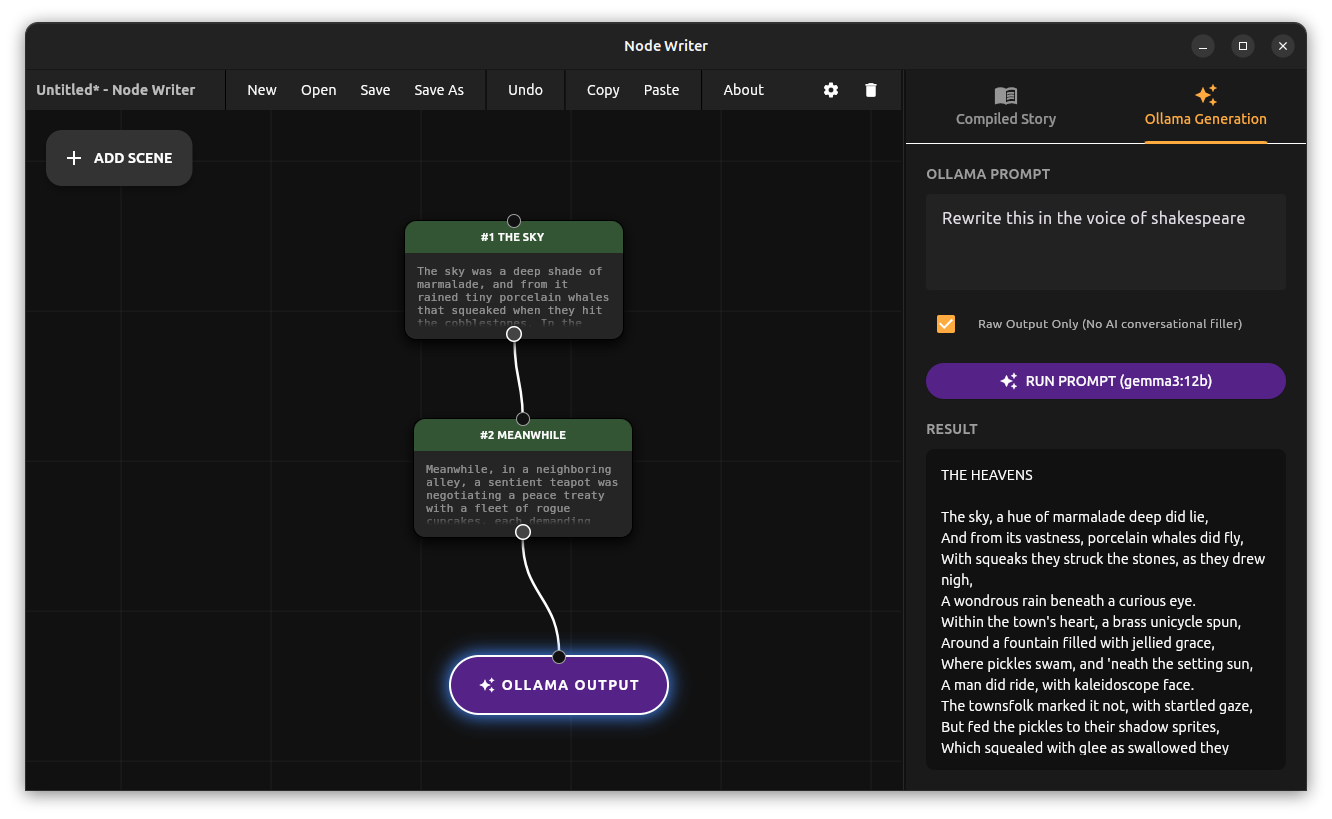
Deep Writer
But that release was only the first milestone.
Node Writer
My first word processor was ClarisWorks on Mac OS 8 in the late nineties. Since then, nothing has changed. We are still staring at a fake digital piece of paper. After years of Microsoft Word, LibreOffice, and Google Docs, the core experience remains exactly the same. Moving text with a cursor is a tedious, character-by-character chore, with no simple way to rearrange blocks of writing. Writing is about abstracting ideas, exploring structure, and developing details. We get so caught up in modern UX capabilities that we forget to innovate. Too often, we don’t reinvent the paradigm, we just digitize it.
Redleaf Ai Assistant
🔎 How the Terminal AI Assistant Works
The assistant provides a two-step workflow: first search and summarize, then follow-up question mode.
1️⃣ Search and Summarize
When you issue a query, the assistant can:
- Find documents by ID or filename using
find_documents(). - Perform keyword search for pages containing specific terms via
search_document_content(). - Conduct semantic search using embeddings via
semantic_search_document_content(), returning conceptually relevant sections even if exact words aren’t matched.
Once relevant results are found, the assistant summarizes each document or page, producing concise, context-aware overviews.
Curators and Explorers
Today marks a major milestone for the Redleaf Engine. I’m thrilled to announce a new set of features that transform Redleaf from a personal knowledge tool into a powerful platform for distributing curated datasets and enabling team collaboration.
The core idea is simple but powerful: what if you could do all the heavy lifting of processing hundreds of documents and then package the entire, fully-analyzed knowledge base into a single, portable unit? What if you could send that “knowledge package” to a colleague, a research team, or even publish it for the world to explore?
Redleaf Tutorial 2 Core Workflow
Now that you have Redleaf installed and your documents added, it’s time to build your knowledge graph. The Redleaf Dashboard features three main workflow buttons that control the entire process. This guide explains what each one does.
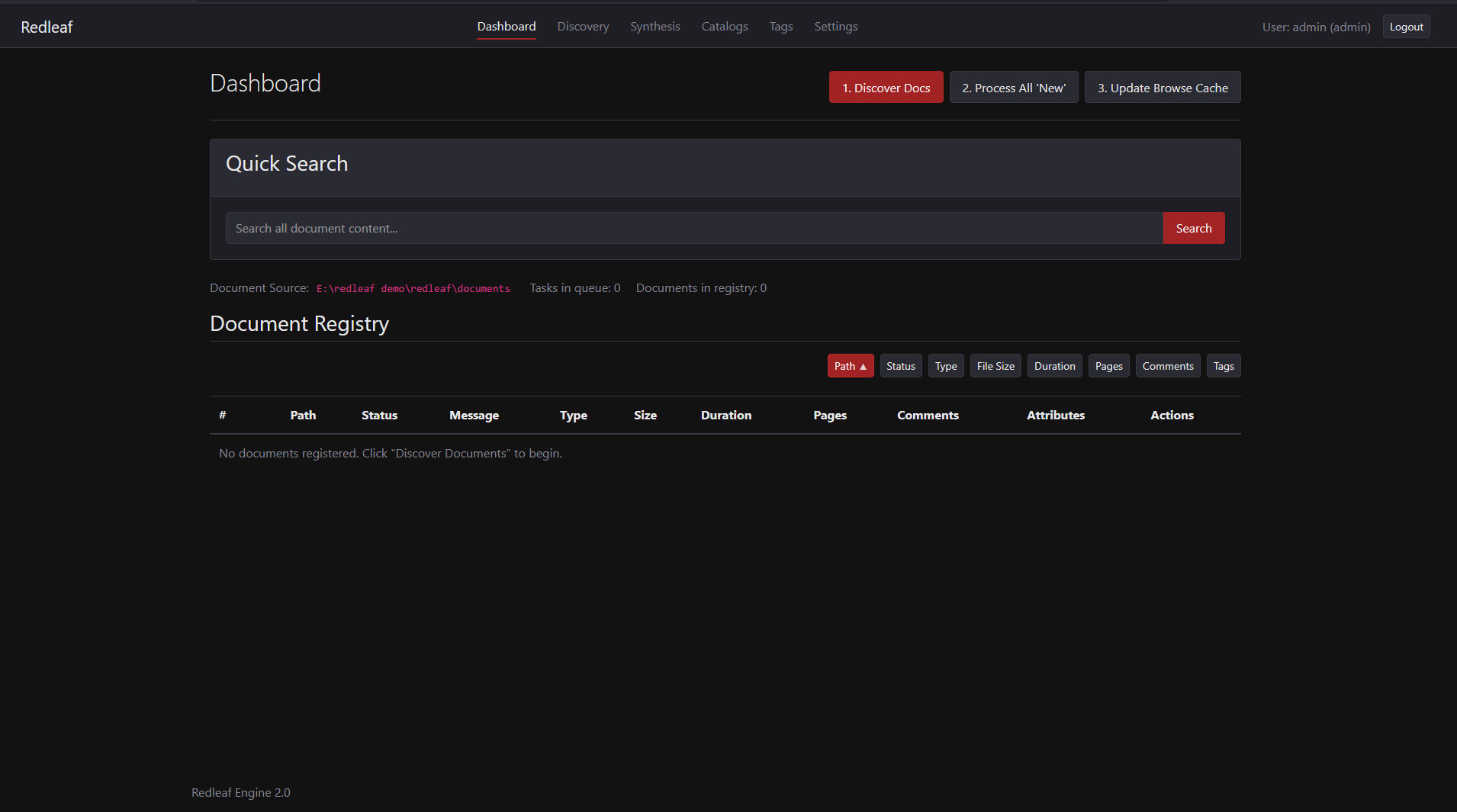
The Three Main Workflow Buttons On The Redleaf Dashboard.
The Three-Step Process
The core workflow is designed to be simple and explicit, giving you control over when your computer’s resources are used. The process consists of three sequential steps:
Redleaf Engine Update
I’ve always been struck by the fact that while our computers can store files, they don’t really understand them. That’s the idea behind Redleaf—and I’m excited to announce that version 2.0 is now ready.
For anyone new to the project, Redleaf is a local-first knowledge engine. The goal is to take a folder of documents (PDFs, transcripts, HTML, etc.) and turn it into a private, interconnected knowledge graph that you actually own and control.
Anatomy of a Hugo Theme
My recent journey into building a Hugo blog led me down a rabbit hole of complex themes. While powerful, they often felt like a black box. I decided to strip everything away and ask: what are the absolute essentials to make a Hugo theme work?
It turns out, you only need three core files.
- The Skeleton: layouts/_default/baseof.html
This is the master template for the entire site. It’s the HTML document that holds everything else. The most important part is the {{ block “main” . }} section, which acts as a hollowed-out space where other templates will inject their content. code Html IGNORE_WHEN_COPYING_START IGNORE_WHEN_COPYING_END