Compass Debian Test
Compass is a love letter to my frustrations with vector design.
For decades we’ve accepted an odd compromise: vector software asks us to think mathematically while forcing us to work mechanically. We switch modes, expand strokes, rebuild geometry, and destroy information over and over just to keep designing. There is no technical reason for any of it.
Compass could have existed in 1998. It would have been written in C++, required a vastly larger engineering effort, and likely been prohibitively expensive to build — but the mathematics were always there. What persisted instead wasn’t a technical limitation. It was an interaction paradigm.
Modern vector tools still inherit assumptions from software designed decades ago. Even after thousands of features, the underlying experience remains familiar: construct an object, manipulate it, flatten it, convert it, and rebuild it later when intent inevitably shifts.
That has always felt backwards to me.
Vector design should be a continuous chain of intent. Structure should become expression without a hard boundary between the two. Geometry should stay alive for as long as possible. Designers should never be forced to choose between fluidity and precision, or between artistic freedom and mathematical rigor.
Compass is my attempt to build that world — and this is the first time it feels like the system holds together end to end.
The Debian Test
Every creative tool eventually needs a stress test. For Compass, I chose the Debian logo.
At first glance it looks deceptively simple — a single swirling form most people assume would be trivial to reproduce. It isn’t.
The Debian swirl sits in an uncomfortable space between strict geometry and hand-drawn imperfection. There is structure hidden inside it, but also asymmetry. The line breathes. It thickens and thins in ways that are hard to describe mathematically, but immediately obvious when they are wrong.
Traditional workflows force a choice: build everything rigidly and fight to introduce organic character later, or draw freely and lose structural control. Compass was built specifically to remove that tradeoff, so recreating the logo became an end-to-end test of the system itself.
Step One: Establish Structure
I started by laying down an open spline to define the overall motion of the logo.
Rather than drawing the final form directly, I treated it as a scaffold — something that captures proportion and flow before detail. This reflects a core idea in Compass: build relationships first, expression second, and keep everything editable for as long as possible.
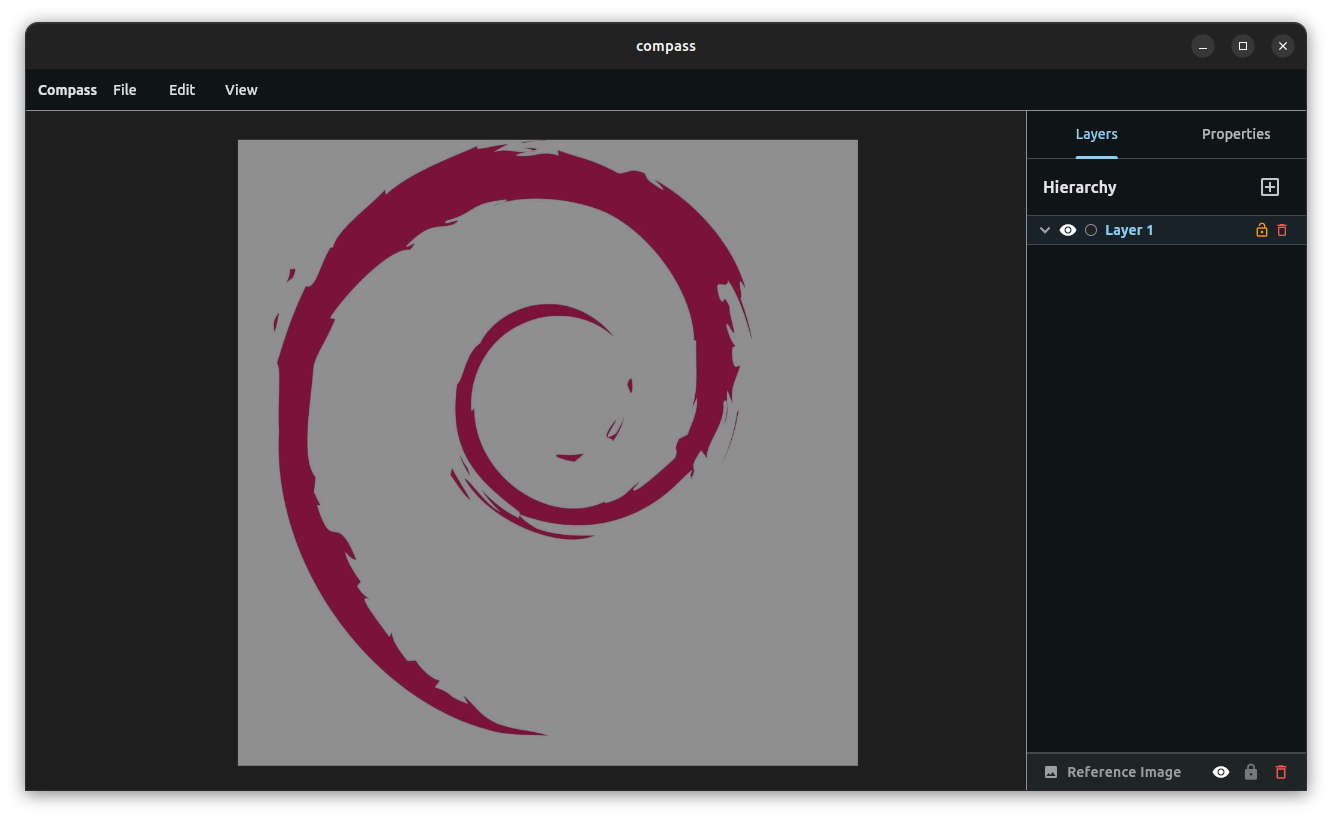
The recreation begins as a structural spline defining the swirl's overall motion.
Step Two: Strokes Become Geometry
This is where traditional workflows tend to become destructive.
In most software, a stroke is just a visual layer attached to a curve. The moment you want an organic taper, you expand it into geometry and begin manually adjusting hundreds of Bézier points.
In Compass, strokes are geometry from the beginning.
Holding W on a spline turns it into a Variable-Width Area Stroke. Each vertex gains a width handle that extends geometry along the curve’s normal.
Instead of adjusting every point, you can place Constraint Flags along the stroke. Two flags define a region, and Compass interpolates width across that span automatically. Moving a flag reshapes the entire taper in real time.
You stop sculpting thickness manually and start defining intent. The system resolves the rest.
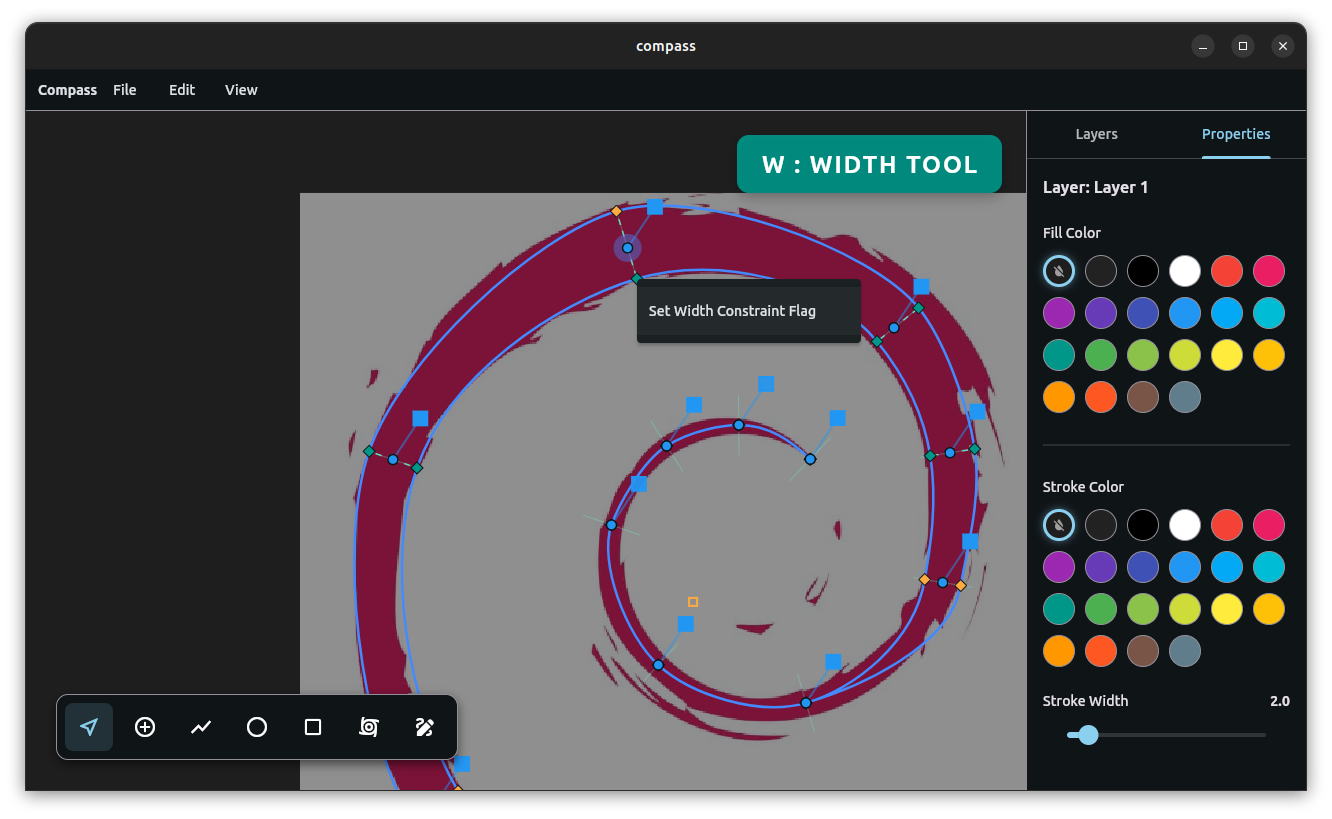
Variable-width strokes and Constraint Flags define the organic taper of the form.
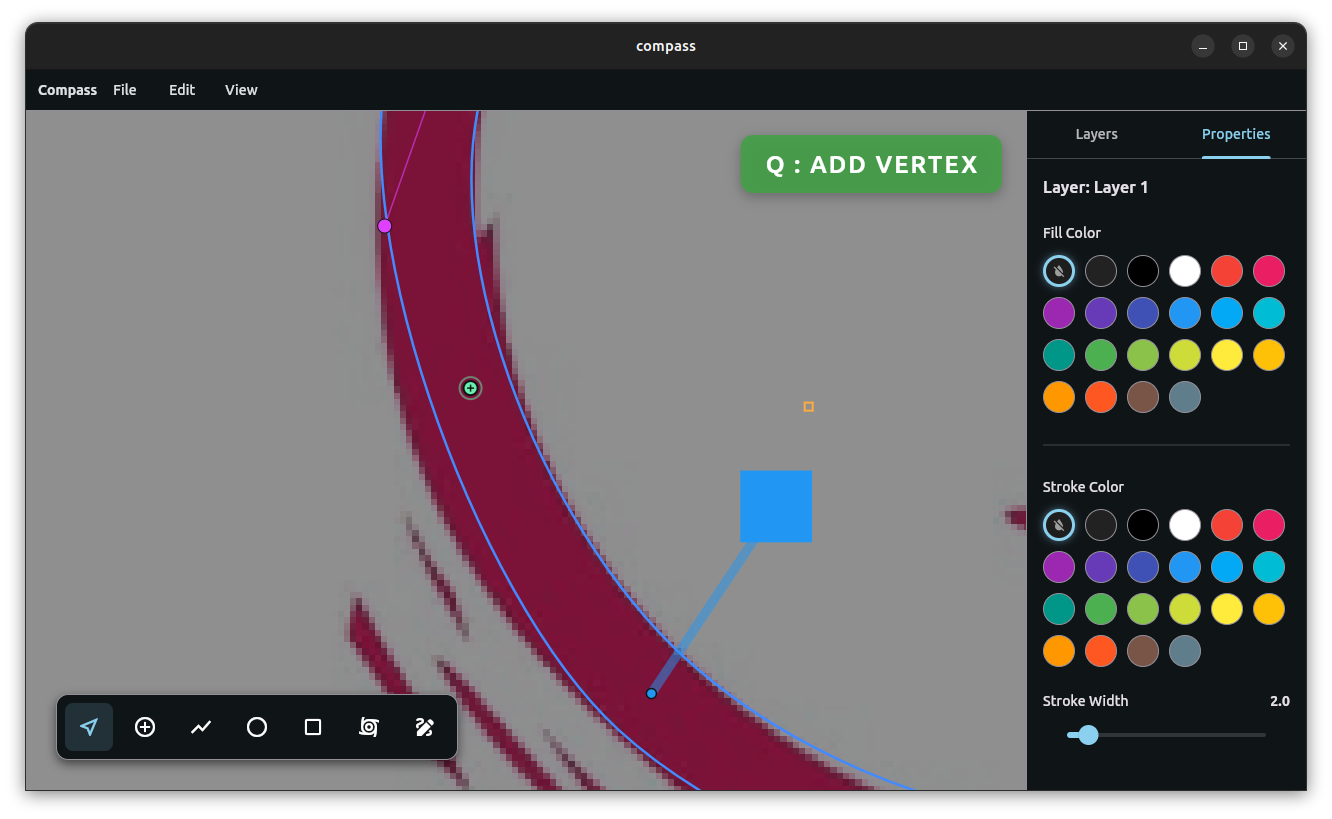
Hold Q mouse over vertex segments to add a vertex in the middle of two points, adding geometry where needed.
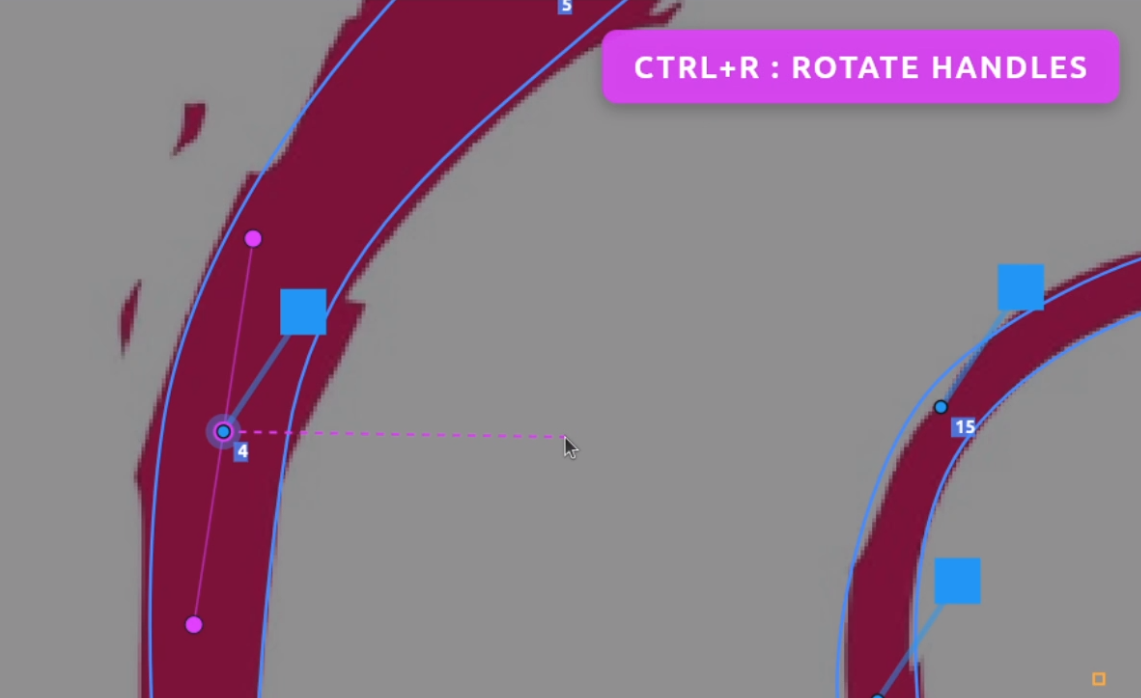
Hold Ctrl+R to rotate handle direction.
Step Three: Fluid Geometry Meets Explicit Control
Eventually every design reaches a point where mathematical smoothness needs to give way to deliberate control.
That tension led to the X-Spline.
An X-Spline allows fluid Catmull-Rom geometry and explicit Bézier control to coexist on the same path. You can sketch quickly using fluid vertices that generate smooth curves automatically. At any point, you can convert a vertex into a Bézier node.
That conversion freezes its current tangent into explicit handles while surrounding points remain fluid. The curve does not break or re-evaluate abruptly — it transitions.
Right-clicking again returns the point to fluid behavior.
You are no longer choosing a spline system. You are assigning degrees of control.
For the Debian logo, this is where the final character emerged. The structural scaffold remained intact while specific regions were pushed into subtle asymmetry to match the original’s organic swelling.
When the stroke was ready, I baked it into an editable X-Spline — a compact set of handles derived from the underlying outline, ready for direct refinement.
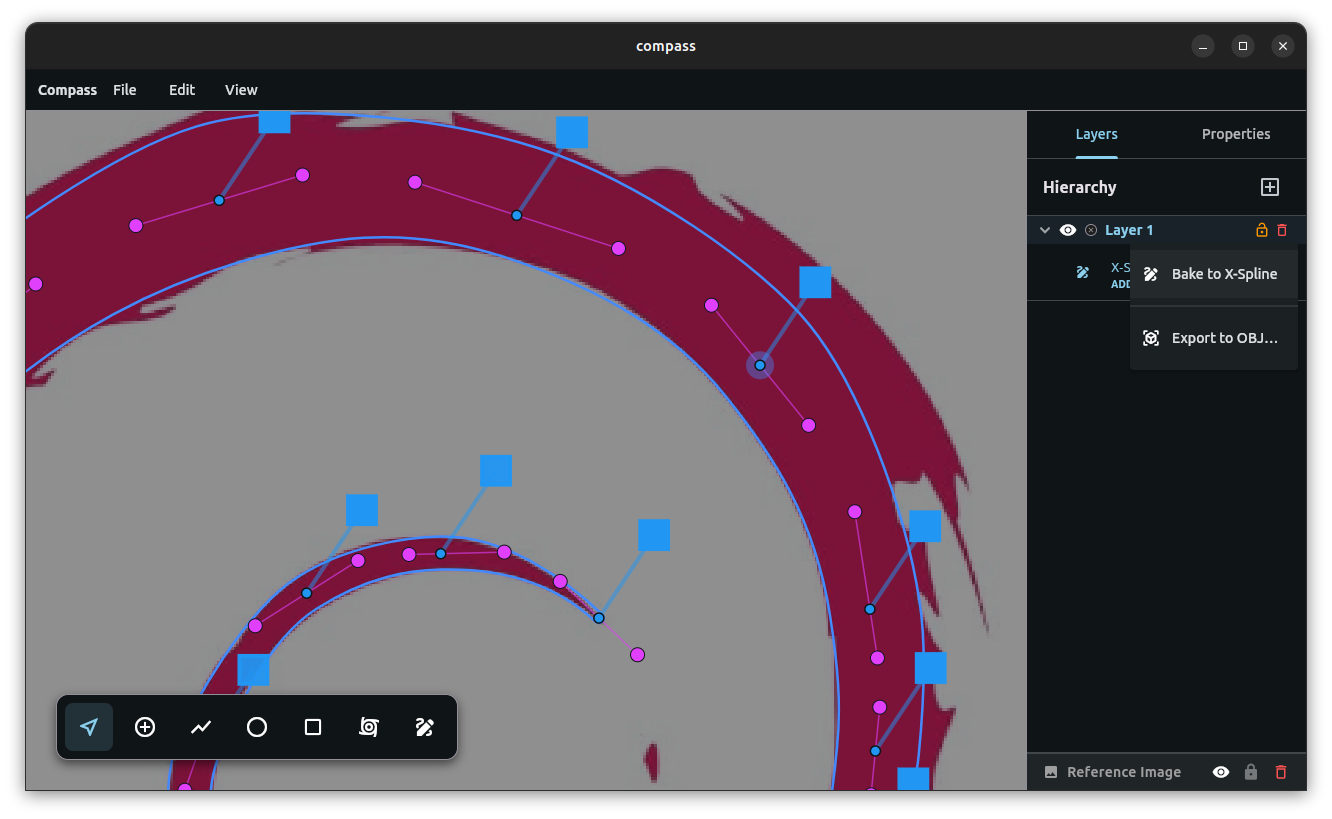
The live stroke baked into an editable X-Spline for final refinement.
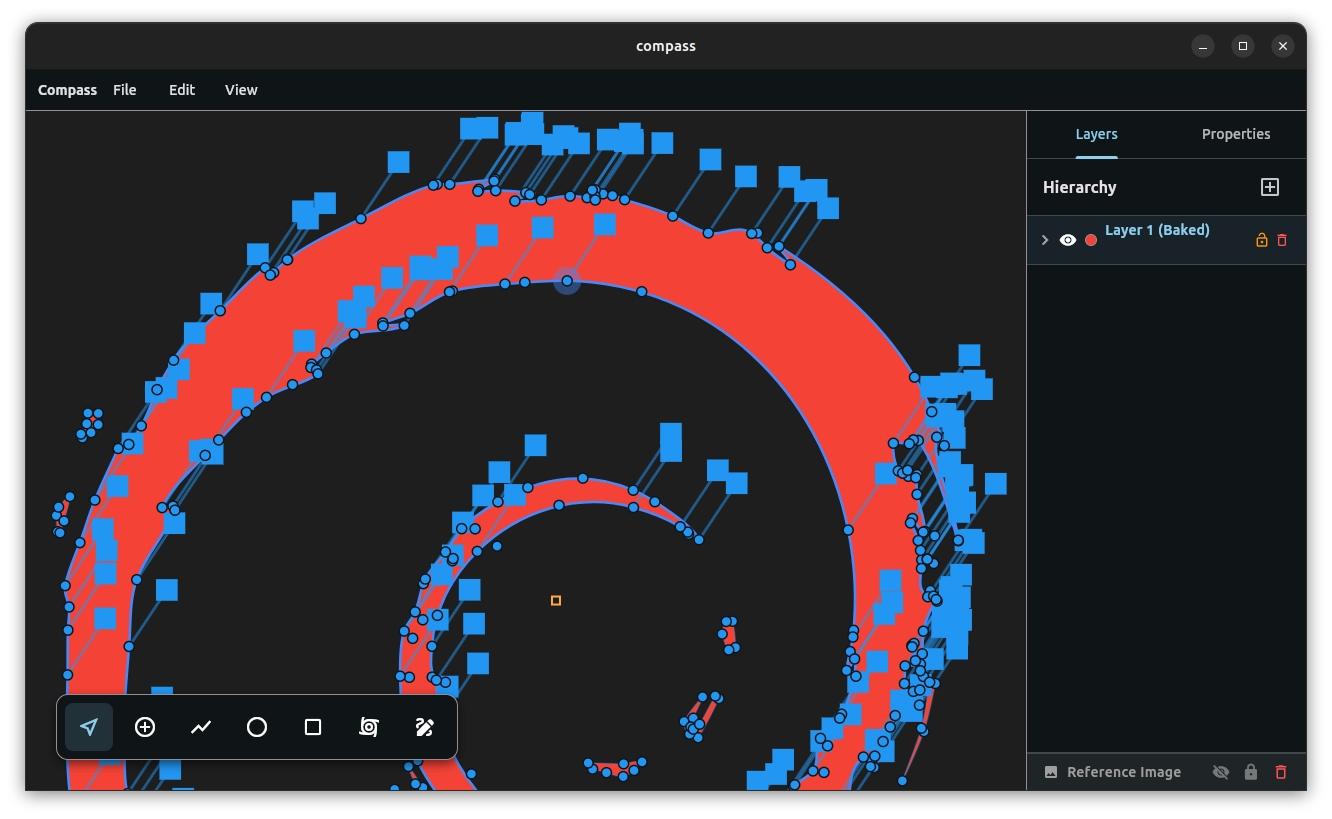
Adding detail to the baked Open Spline.
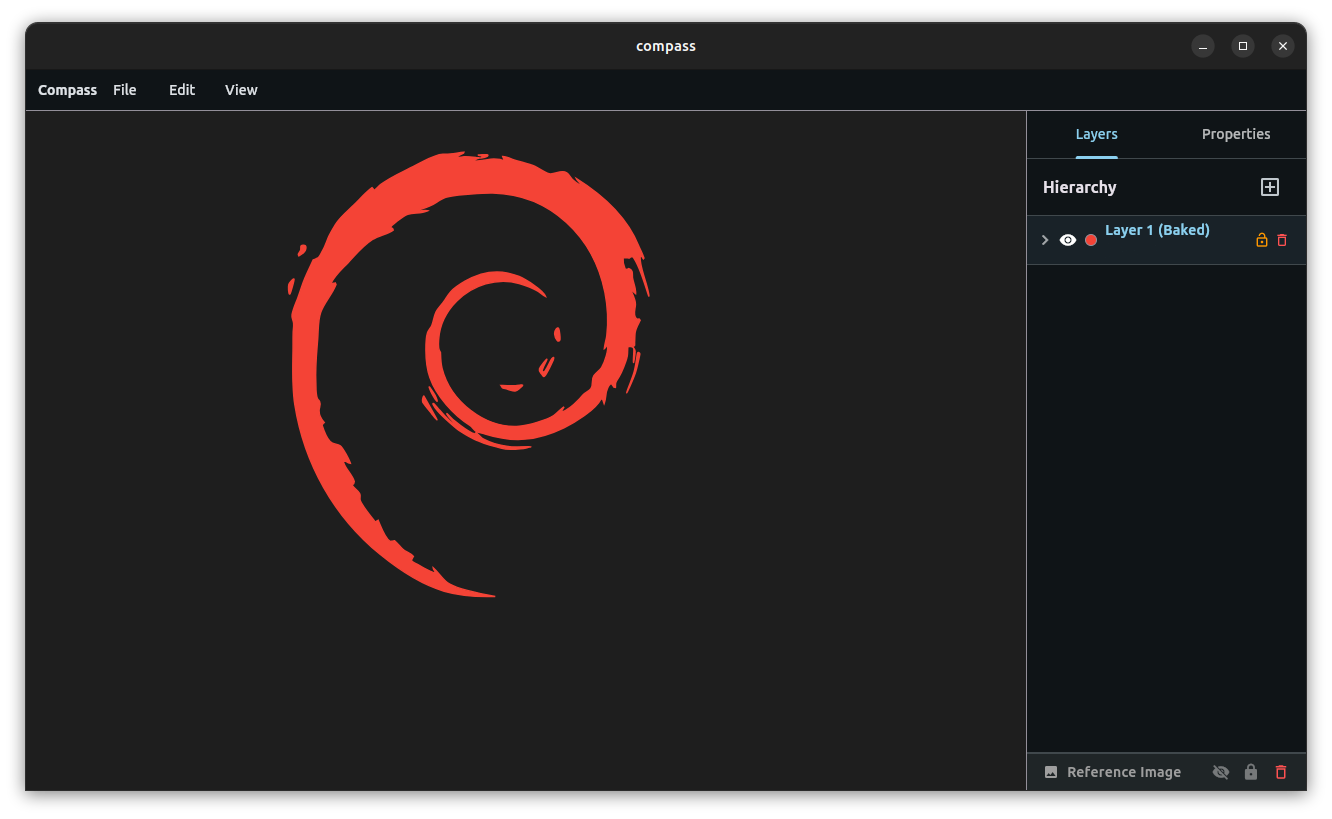
The final detailed vectorization.
Designing Through Momentum
One of the most important discoveries while building Compass is that most friction in creative software is not geometric — it is interruptive.
Modern tools are built around modes. Select. Rotate. Corner. Edit. Every transition forces a break in thought, shifting attention away from the design and onto the tool itself.
Compass is built to preserve momentum.
You can rotate a full system around a chosen vertex with R, or rotate a vertex with Ctrl+R. Without dropping selection, you can hold F to fillet a corner interactively. From there, you can continue transforming geometry or immediately grab a single point and constrain motion to a single axis with 1 or 2.
Nothing resets context.
Nothing forces reconstruction of intent.
Over time it stops feeling like operating software and starts feeling like direct manipulation of the design itself.
A Better Bridge Between 2D and 3D
Vector workflows inevitably collide with 3D systems, and that transition is still fragile.
SVG remains the standard bridge to tools like Blender, despite well-known limitations. Masks break in translation. Boolean operations behave inconsistently. Imported geometry often requires cleanup before it becomes usable.
The other extreme — triangulated mesh export — is equally problematic, producing dense and irregular geometry that is technically correct but difficult to work with.
Compass takes a different approach.
Instead of triangulating immediately, it resolves geometry into a structured quad lattice inside the spline boundary. The interior is a regular grid; only boundary cells are clipped to match the silhouette. The result is predictable, uniform topology that survives export cleanly.
When imported into Blender, it resolves into clean quad geometry with minimal intervention required. It is designed to remain editable beyond the 2D canvas rather than degrade on export.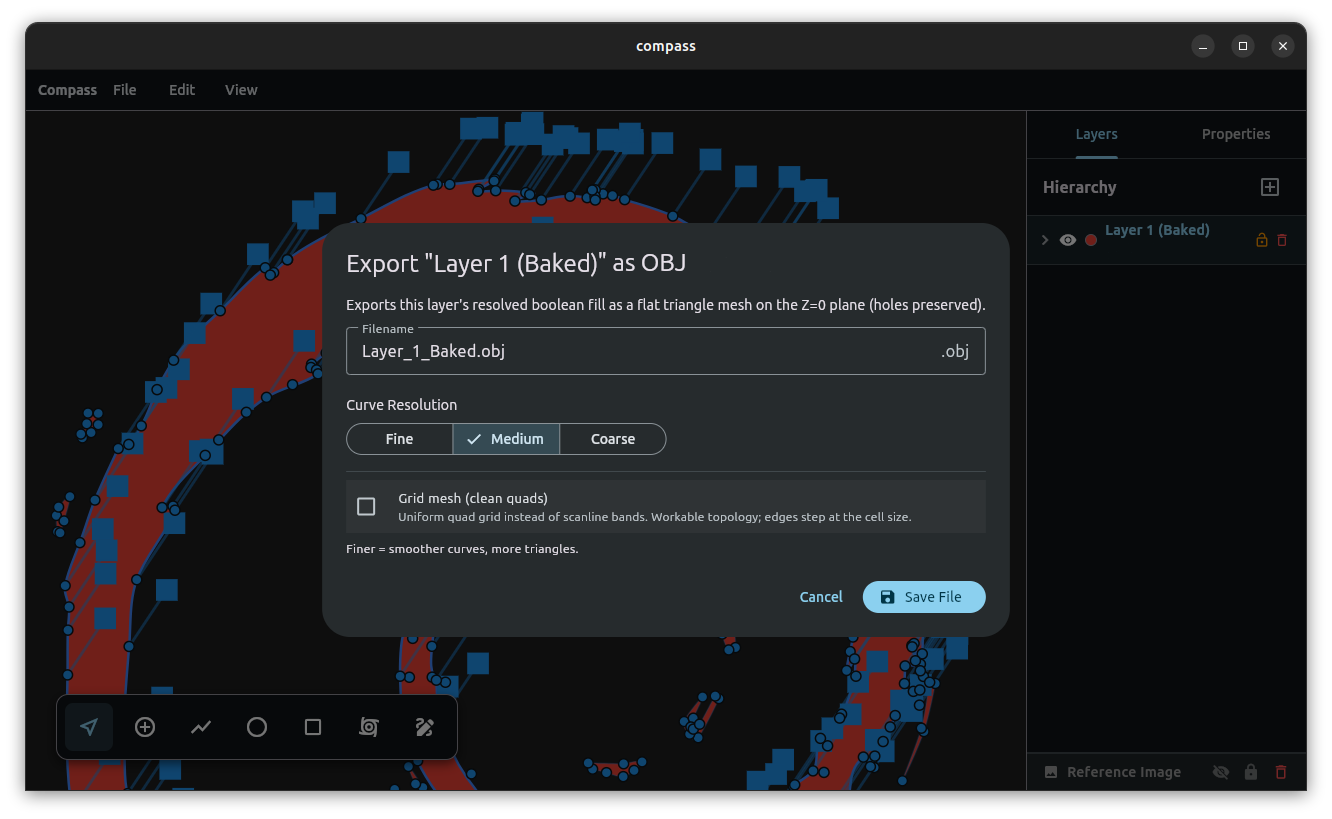
Baking Spline to OBJ
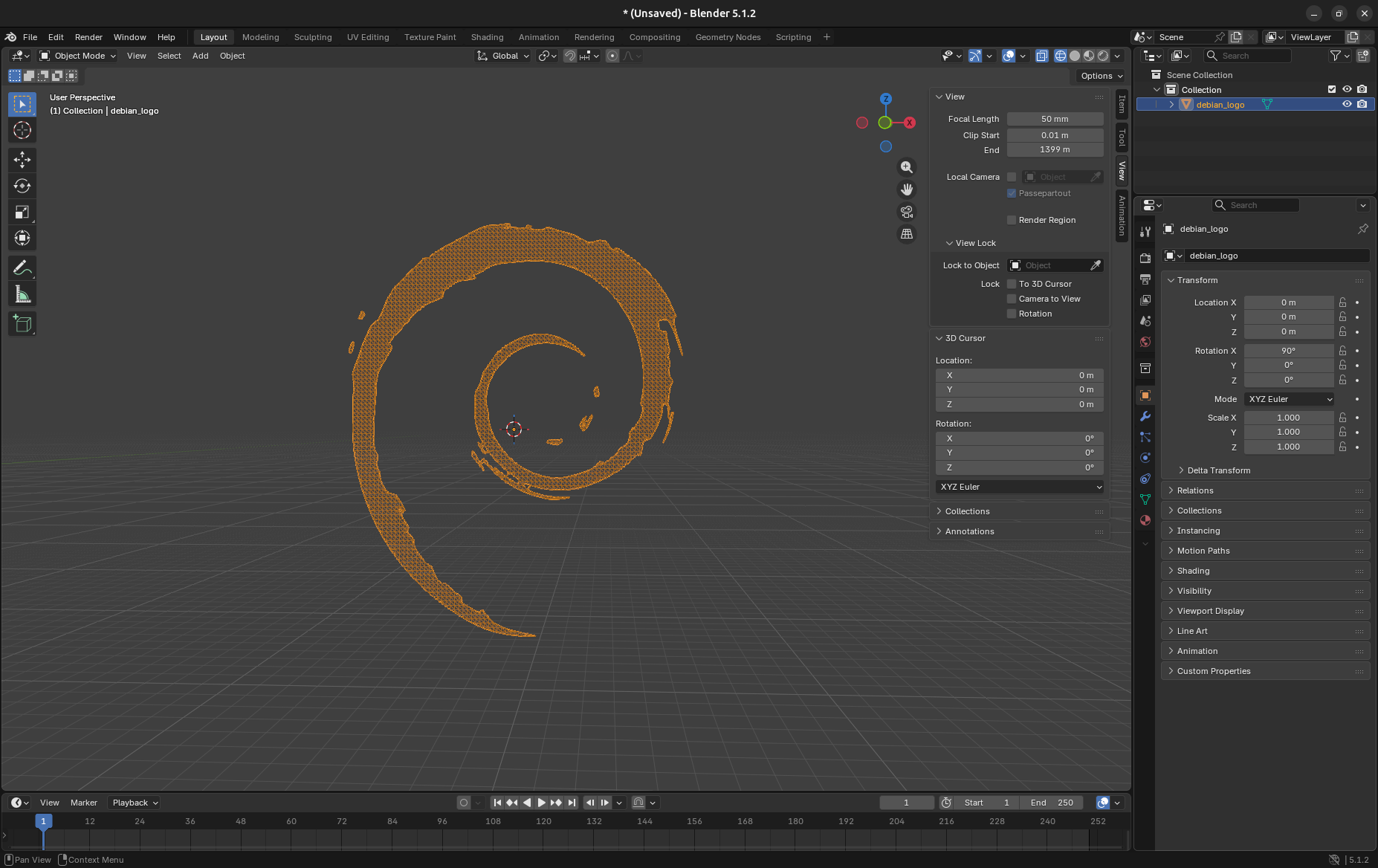
Imported into Blender — grid-aligned topology that resolves to clean quads in a single pass.
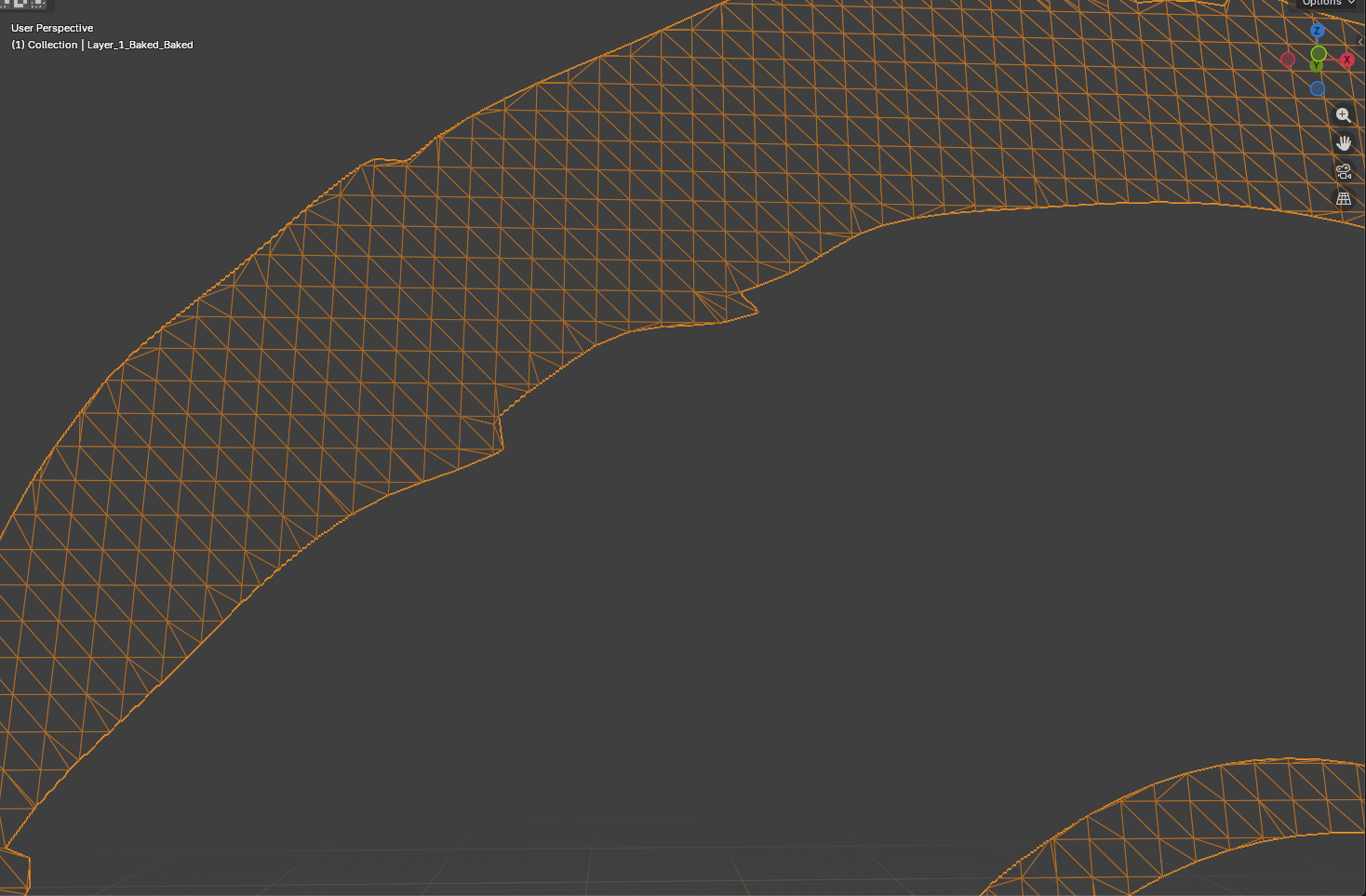
Grid-aligned topology close up.
The Bigger Idea
The Debian logo was never the point. It was a proof.
What matters is watching a single shape move from a structural scaffold to expressive vector form and finally into clean, usable 3D topology — without switching paradigms or rebuilding intent at any stage. That continuity is the real system.
And here is what I can’t get past: almost none of it required a breakthrough. The OBJ format has been open and trivial to write for decades; treating it as a clean, first-class export target was simply never anyone’s priority. The same is true of nearly everything Compass does. Persistent constraints, structure that stays editable all the way into expression, a stroke that is geometry instead of a style bolted onto a curve — as far as I can tell, none of these were ever priorities for Adobe Illustrator, or for its open-source descendants like Inkscape.
So Compass is not a new set of tools layered on the old model. It is a different foundation underneath it — one where geometry persists instead of collapsing at each stage, where structure and expression stop being separate phases, where the friction that defined vector design for thirty years simply isn’t there. And it does all of that inside what, by the standards of modern software, is a microscopic codebase: pure Dart, with no external dependencies.
It feels like the tool I always assumed someone would eventually build, and was somehow never handed.
Which leaves the one question I keep circling and can’t answer:
If this was always possible — why did no one build it this way sooner?
You can find the repository and download the latest release here:
It’s currently in v0.3.5 https://github.com/nathanfx330/compass
- Nathaniel Westveer