Virtual Folders
Redleaf’s design mission has always been portability: a fully processed knowledge graph, encapsulated in a single folder, ready to hand to a colleague.
But building a local first knowledge engine inevitably runs into a very physical constraint: data gravity.
With a few dozen PDFs, keeping everything neatly inside a documents/ directory is trivial. At the scale of terabytes, historical archives, podcast libraries, parsed email dumps, that requirement becomes friction.
You cannot always bring the data into your workspace. Sometimes you have to meet it where it lives.
Duplicating massive datasets just to analyze them is not a real solution.
Introducing .rlink files is how Redleaf adapts to that reality.
The .rlink Portal
Operating system shortcuts, macOS aliases, Windows links, are lightweight pointer files that redirect the user to another location on disk. .rlink builds on that concept, but replaces opaque system behavior with a transparent, deterministic format that Redleaf can fully control.
If you have a large archive on an external drive, you can create an alias directly from Redleaf Hub or the web settings. This generates a human readable .rlink file inside your documents/ directory.
That file contains nothing more than an absolute path.
During Discovery, the engine treats it as a portal. It transparently traverses the external location, indexes the contents, and maps them into the graph using a virtual path:
MyArchive.rlink/report.pdf
From the user’s perspective, everything behaves as if the data lives locally.
When you open a document in Synthesis, or pass it to Node Leaf for analysis, the backend resolver reconstructs the real OS path instantly.
No duplication. No migration. No compromise.
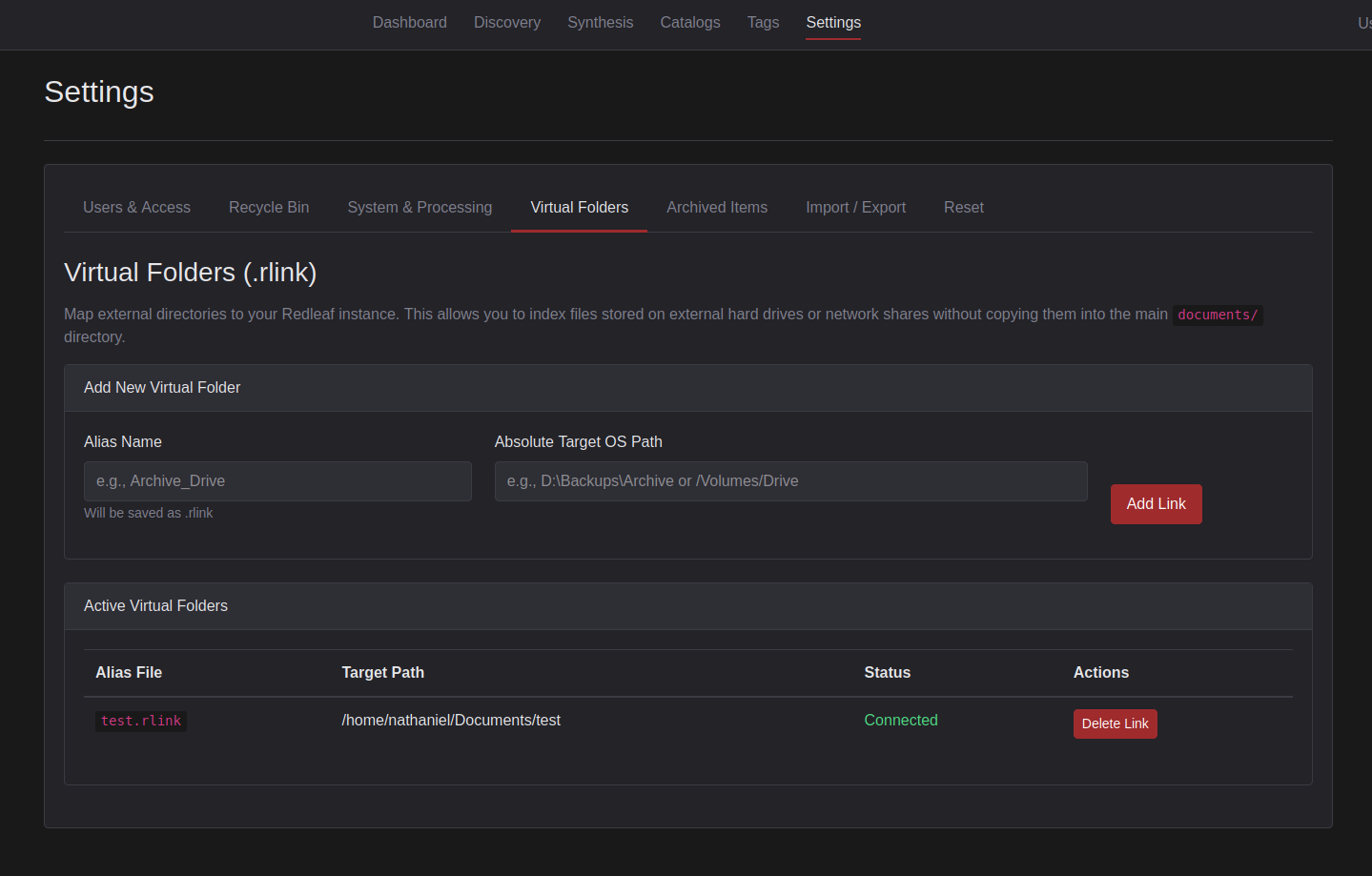
Mapping external drives to Redleaf using Virtual Folders.

The virtual folder path works as if the document were in the portable directory.
The Persistence Problem
External data introduces a more subtle and more dangerous failure mode:
It disappears.
In earlier versions, Redleaf used a strict hard delete model. If Discovery ran and a file was missing, the system assumed it was gone permanently.
The result was aggressive:
- The document was removed from the database
- All embeddings were deleted
- Graph relationships were destroyed
- Notes, tags, and curation vanished
If an external drive was unplugged or simply asleep, you could lose hours of work instantly.
That level of fragility is unacceptable for a system built around long term knowledge.
The Recycle Bin
Redleaf now treats absence as a state, not a deletion.
When a file or an entire .rlink target goes missing, it is marked as Missing instead of being purged.
These documents are:
- Hidden from the dashboard
- Excluded from full text search
- Removed from the semantic vector space
AI agents will not see them. Queries will not reference them.
But everything that matters is preserved:
Tags. Notes. Relationships. Context.
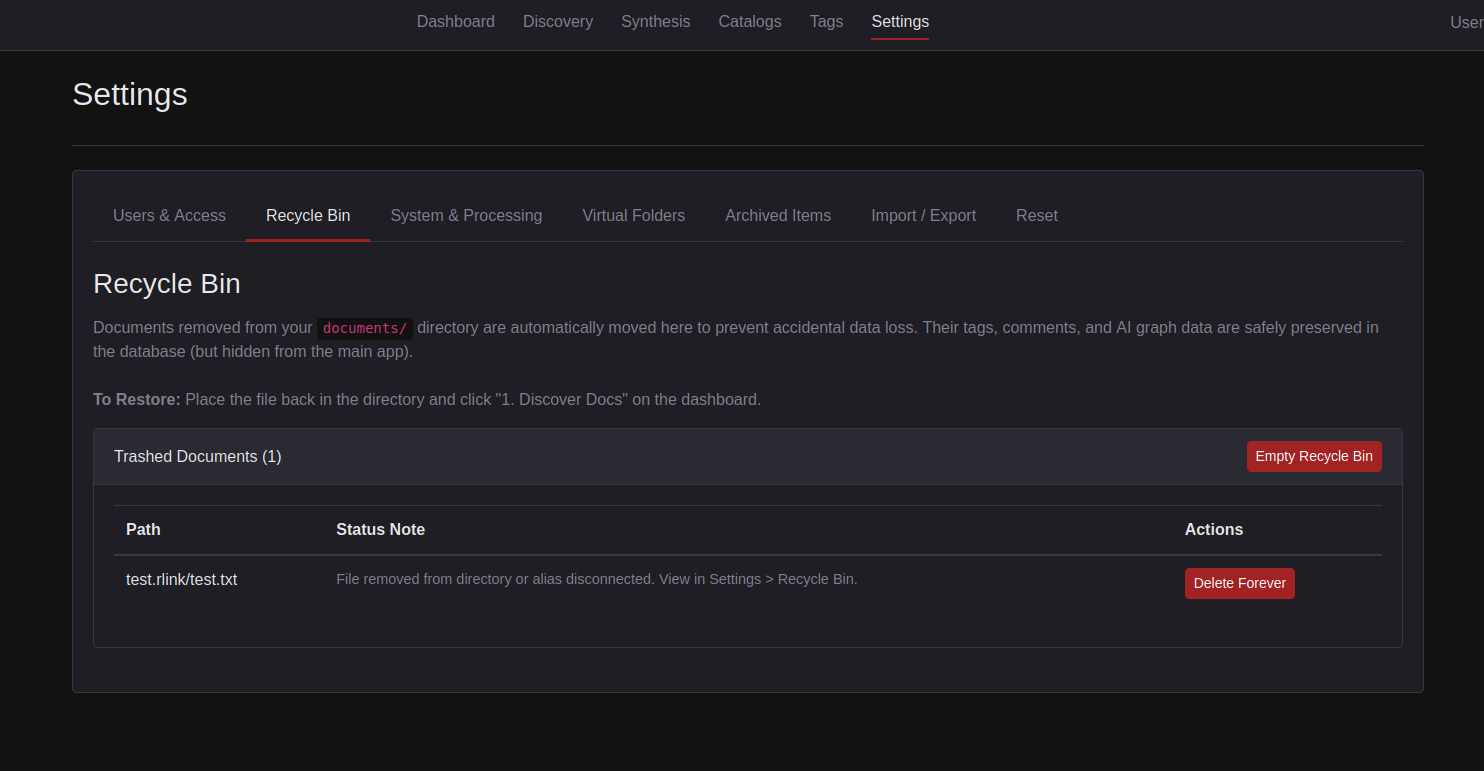
Missing documents are safely stashed in the Recycle Bin until their source is restored.
If the removal was intentional, you can permanently delete the data from the Recycle Bin.
If not, recovery is instant.
Plug the drive back in.
Run Discovery.
Redleaf recognizes the returning files by hash and restores them in place, fully intact.
Every connection, every annotation, every layer of synthesis snaps back into the graph.
This behavior is consistent across both the web interface and the high throughput DuckDB pipeline.
This is not just recovery.
It is persistence.
Your knowledge graph should not shatter because a cable was bumped.
With Virtual Folders and the Recycle Bin, Redleaf stops fighting the realities of local file systems and starts working with them.